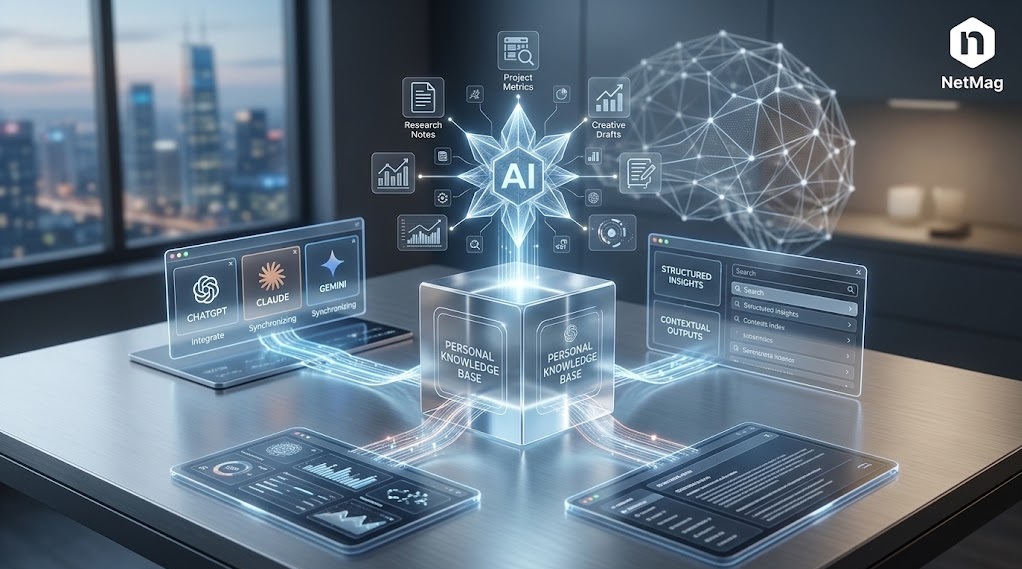
In an increasingly data-driven world, managing information effectively is essential for both productivity and focus. Learning how to build an AI second brain allows you to centralize your personal and professional knowledge, creating a personal intelligence layer that integrates seamlessly with AI tools like ChatGPT, Claude, and Gemini.
Instead of starting every AI prompt from scratch, a structured second brain provides rich contextual background to generate precise, highly tailored outputs.
What Is a Personal AI Second Brain?
A personal AI second brain acts as a structured digital repository for your research, meeting notes, project metrics, and creative drafts. By organizing this data into a searchable database, you enable AI models to retrieve relevant context quickly and accurately.
Key Features of a Digital Intelligence Layer
-
Searchable Knowledge Base: Effortlessly store and locate insights across your entire resource archive.
-
Cross-Platform Compatibility: Connect your custom repository with top AI assistants like ChatGPT, Claude, and Gemini.
-
Data Privacy Controls: Set up local or cloud-based filters to ensure sensitive information remains protected.
-
Flexible Storage: Choose between local drive storage for maximum security or cloud integration for cross-device access.
Core Steps to Build an AI Second Brain
Setting up your system involves structuring your content so AI models can digest and process it efficiently.
1. Define Categories and Use Templates
Start by identifying core areas relevant to your personal or business goals. For instance, a marketing professional might create categories like “Customer Insights,” “Campaign Metrics,” and “Ad Strategies.” Utilizing standardized markdown templates helps keep data consistent across categories.
2. Automate Data Extraction and Categorization
A robust intelligence layer automatically processes multi-format files such as PDFs, meeting transcripts, and project briefs. The system extracts key performance indicators (KPIs) and places them into designated folders, making strategic retrieval effortless.
Also Read:
SpaceXAI Launches Grok Bot to Handle Everyday Work
3. Maintain Continuous Synchronization
To ensure your AI system delivers up-to-date insights, establish a simple routine for system maintenance:
-
Upload New Documents: Place raw files into a designated processing folder.
-
Review Extracted Data: Verify that actionable data has been accurately extracted.
-
Archive and Update: Move categorized content into your central repository.
Best Practices for AI Knowledge Management
To get the highest return on investment when you build an AI second brain, keep these core strategies in mind:
-
Prioritize Actionable Insights: Focus on saving useful facts, project metrics, and key decisions rather than cluttered raw text.
-
Maintain Strict Privacy Controls: Filter out password records, confidential agreements, or sensitive personal data before feeding files into cloud-based LLMs.
-
Perform Regular Audits: Review archived links and notes quarterly to archive outdated strategies and ensure high-quality contextual outputs.
By centralizing your insights today, you can transform how you interact with artificial intelligence—saving hours of repetitive work while improving decision-making across all your projects.