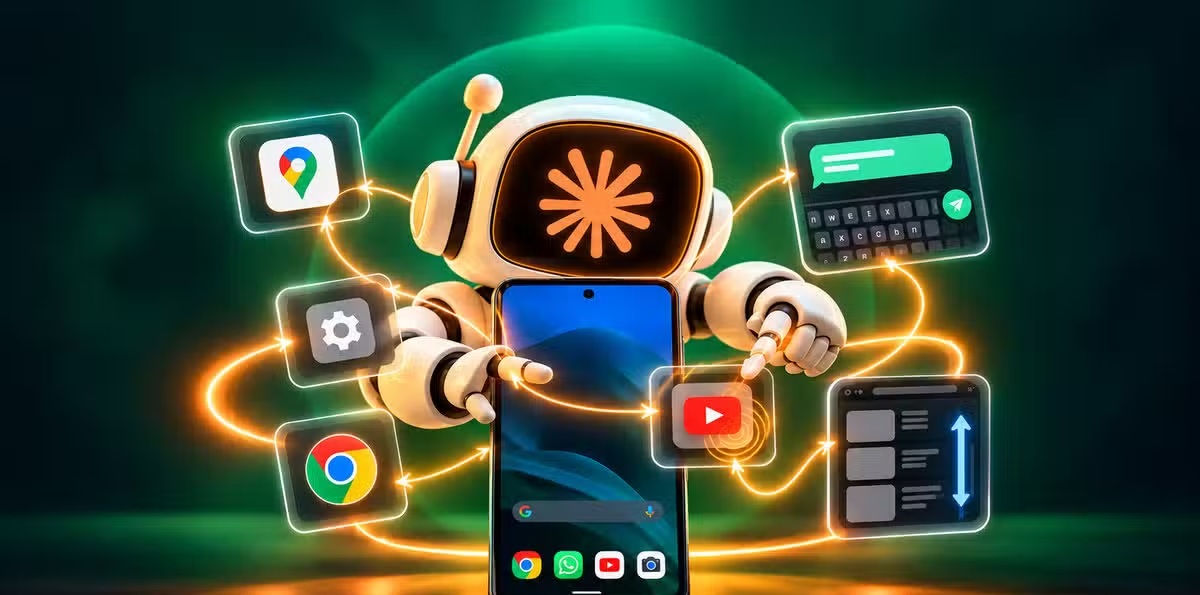
An open-source Android application called Buddy is allowing users to run AI coding agents, including Claude Code, OpenAI Codex, and OpenCode, directly on their smartphones. The app can also interact with other applications by reading screen content, tapping buttons, entering text, and navigating menus.
The latest version, Buddy 2.1, operates through a floating chat bubble and does not require a computer, root access, Android Debug Bridge (ADB), or a separate API key. Most of its functionality runs within the app, while requests to AI models are handled by the selected provider.
Free and Open-Source AI Tool
Buddy 2.1 is available for free through GitHub under the Apache 2.0 open-source licence. The project does not offer paid subscription tiers or operate dedicated Buddy servers.
The software is still in its early stages and has mainly been tested on a OnePlus 12 running Android 16. As a result, performance, compatibility, and battery consumption may vary across devices. Buddy is an independent project and is not affiliated with Anthropic or OpenAI.
Run Claude Code, Codex, and OpenCode on Android
Buddy creates a lightweight Alpine Linux environment within its own storage using proot technology. This environment allows users to install and run Claude Code, Codex, or OpenCode directly on their phones.
Users can connect their existing Claude Pro or Max subscriptions to Claude Code or use an eligible ChatGPT plan with Codex, potentially avoiding separate API charges. OpenCode is another supported option and can work with free AI models without requiring an account.
The app requires a 64-bit Android device running Android 11 or later.
AI Agents Can Control Other Apps
Buddy uses Android’s accessibility features to give AI agents access to phone-control tools through a local Model Context Protocol (MCP) server.
These tools allow an agent to read on-screen information, tap or long-press controls, type text, scroll through pages, open applications and URLs, capture screenshots, and install APK files.
This functionality lets users issue instructions in natural language and have an AI agent carry out multi-step tasks across different apps, such as searching for information, navigating interfaces, and filling in forms.
READ MORE: Karachi Airport Enforces Mandatory Vaccination for Umrah Pilgrims
Approval Controls for Sensitive Actions
Since an AI agent can perform actions on a user’s phone, Buddy includes safeguards for potentially sensitive operations. Depending on the selected safety mode, the app can request confirmation before sending messages, publishing posts, making purchases, deleting information, or changing settings.
Buddy 2.1 offers different safety levels. Its Hard mode can identify potentially consequential actions, including sending, paying, and deleting, and require user approval. Smart mode can also use a separate Claude Code or Codex session to review actions against the user’s instructions and the current screen.
The developer says agents cannot interact with Buddy’s own approval prompts or settings, helping prevent them from authorising their own actions.
No More Termux Requirement
Buddy 2.1 removes the need to install Termux separately. Users can set up and sign in to supported AI coding agents directly within Buddy’s built-in Linux environment.
Another useful feature allows users to provide additional instructions while an agent is working. The agent can pick up those instructions at its next step without restarting the entire task.
Voice Commands and Spoken Replies
The app supports voice input through Android’s speech recognition, Claude Code’s dictation functionality, and ChatGPT voice through Codex. It can also read responses aloud using the phone’s text-to-speech system or supported ChatGPT voices.
Because Buddy’s floating interface can remain visible over other applications, users can issue instructions without repeatedly switching between apps.
Build Android Apps Directly on Your Phone
Buddy also includes an optional developer mode that enables AI coding agents to create and edit files within the app’s Linux environment.
With the included development tools, an agent can write Java code, compile it, sign an Android application package (APK), and launch Android’s installer — all on the smartphone itself.
According to the project’s developer, Buddy was largely built using Claude Code on a OnePlus 12. The AI agent reportedly helped write the code, compile and sign the app, install test versions, and test its functionality using Buddy’s own phone-control tools.
Remote Claude Code Sessions and Terminal Access
Buddy supports Claude Code’s Remote Control functionality, allowing a session running inside the app to appear in the Claude app under the name “Buddy” while retaining access to phone-control features.
The application also provides a full terminal for users who want to work directly within its built-in Linux environment.
Security Risks to Consider
Giving an AI agent access to Android’s accessibility features comes with potential privacy and security risks. Buddy’s documentation highlights prompt injection as a key concern because the agent can read content displayed by other apps.
For example, a malicious webpage, email, or message could contain instructions designed to manipulate the AI into performing unintended actions. Buddy uses system instructions, approval prompts, app-specific restrictions, and optional reviewer models to reduce these risks, although these measures cannot guarantee complete protection.
Users should avoid allowing the agent to enter passwords, one-time verification codes, or payment details.
Overall, Buddy 2.1 offers an interesting way to bring AI-assisted coding and app automation to Android phones without relying on a desktop computer. However, users should carefully review its permissions and safety settings before allowing an AI agent to interact with sensitive information or perform consequential actions.