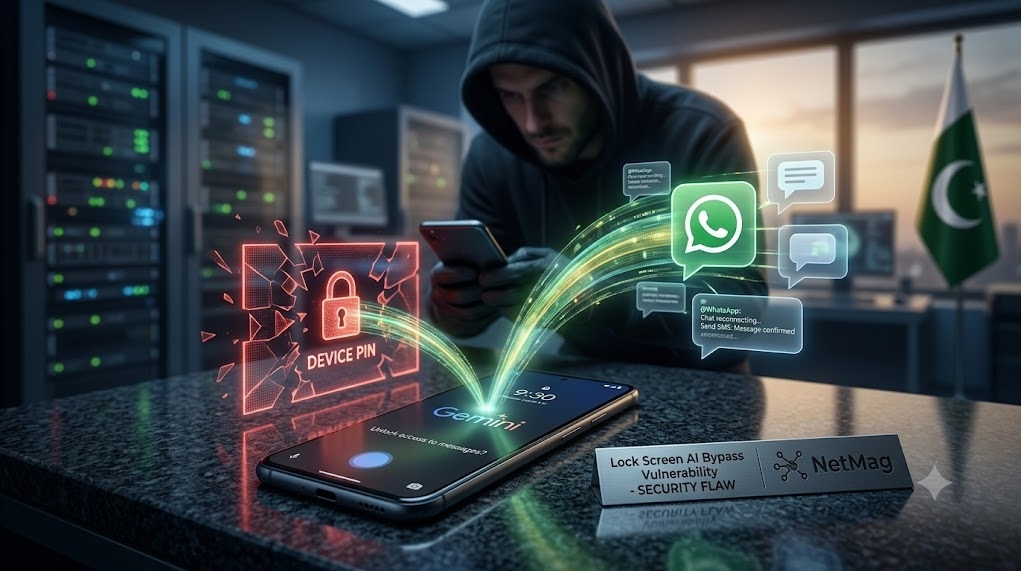
In a significant setback for mobile AI security, a newly discovered Gemini lock screen flaw has raised fresh privacy alarms for smartphone users. The vulnerability allows unauthorized individuals with physical access to a locked phone to bypass standard PIN or biometric authentication to send SMS text messages and reconnect third-party messaging applications.
While tech companies aggressively push hands-free AI convenience on modern operating systems, this latest security gap highlights the ongoing friction between instant accessibility and fundamental data privacy.
How the Authentication Bypass Works
The flaw targets devices that have explicitly allowed Google’s AI assistant to function directly from the lock screen. Under normal security guidelines, if Gemini does not have direct permission to access a secure app, asking it to perform an action will trigger a prompt requiring the device owner’s PIN or fingerprint.
However, cybersecurity researchers discovered an unexpected workaround exploiting the assistant’s user interface:
-
The UI Bug: By triggering Gemini on a locked device, entering a messaging command, and pressing the “Continue” and “Add Attachment” buttons simultaneously, the system’s authentication layer fails.
-
Unauthorized Texting: Instead of blocking the action, the AI proceeds to execute the request and send out the dictated SMS directly.
-
Infiltrating Third-Party Apps: The exploit isn’t limited to standard SMS. Strangers can reconnect previously disconnected private platforms like WhatsApp simply by entering a localized command, such as “@WhatsApp”, right into the lock screen window without encountering a security check.
Crucially, these permissions changes are permanent. Even after the phone is returned to its rightful owner, the AI retains its newly granted access to private messaging profiles behind the scenes.
Assessing the Threat Level
Because this exploit relies entirely on direct physical access, it does not constitute a remote hacking threat. A bad actor must physically hold the device to exploit the interface.
Must Read:
Google rolls out Gemini 3: Smarter Reasoning, Multimodal Interfaces & Agentic Coding
Nevertheless, enterprise security experts warn that the risk remains potent in shared workspaces, crowded public transit, or in cases of device theft. Before a victim realizes their phone is missing, an unauthorized individual could potentially send convincing phishing messages, manipulate corporate contacts, or execute targeted social engineering scams using the victim’s verified identity.
Google’s Response and Immediate Mitigation Steps
Google has officially acknowledged the security oversight and confirmed that a software patch is currently being distributed to close the authentication gap. However, because update timelines fluctuate heavily depending on device manufacturers and cellular carriers, millions of users may remain temporarily exposed.
To protect your personal data until the update arrives, security teams recommend manually disabling the AI assistant’s lock screen access:
-
Open the Gemini app on your Android device.
-
Tap your Profile Picture or initials in the top right corner and open Settings.
-
Select the Gemini on lock screen submenu.
-
Toggle off “Use Gemini without unlocking” completely, or specifically disable the “Allow calls and messages without unlocking” feature.