Your Android smartphone can do much more than run apps, stream videos, and handle everyday tasks. On supported devices, it can also provide a desktop-style computing experience when connected to an external monitor.
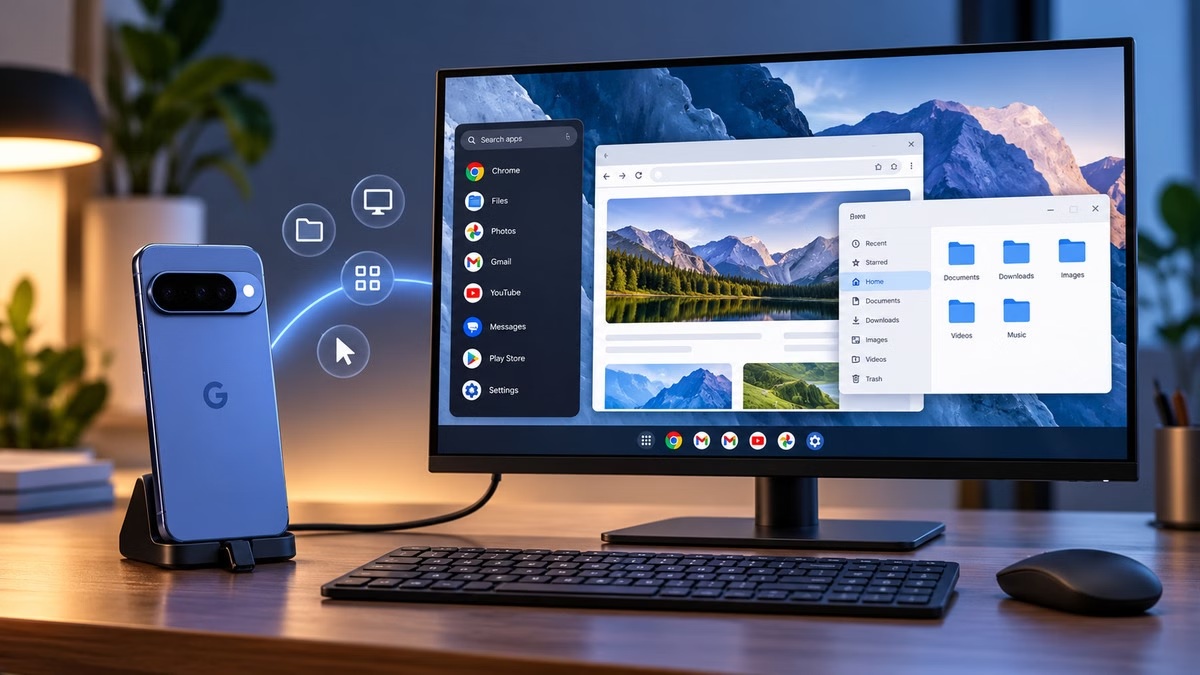
Google has introduced Android Desktop Mode on the Pixel 8 and newer Pixel smartphones through the Android 16 March Pixel Drop. The feature allows users to connect their phone to a larger display and use Android in a more traditional desktop environment.
What You Need to Get Started
The setup is relatively simple. Users need:
- A compatible Android smartphone
- An external monitor
- A high-speed USB-C cable
- A Bluetooth or USB keyboard and mouse
- A USB hub if additional wired accessories are required
On supported Pixel phones, connecting the device to an external monitor brings up an option to either mirror the smartphone’s screen or launch Desktop Mode.
How Android Desktop Mode Works
Once Desktop Mode is activated, the phone switches to a desktop-style interface instead of simply displaying the regular smartphone screen.
Applications can run in resizable windows, allowing users to work with multiple apps at the same time. A Start menu provides access to installed applications, while notifications can still be viewed from the top of the interface.
A keyboard and mouse can be connected through Bluetooth or a USB hub, making the phone feel more like a conventional computer. The system can also remember the arrangement of active windows when the phone is disconnected and later connected again, as long as the relevant apps remain open.
READ MORE: Pakistan Cuts Petrol and Diesel Prices Again From September 29
What Can You Do With It?
For everyday computing, the setup can be useful for tasks such as:
- Writing and editing documents
- Browsing the web
- Watching YouTube
- Managing multiple Android applications
- Using a keyboard and mouse for productivity
- Working on a larger screen
The experience can also support gaming in certain cases, although Android games are generally designed around touchscreen controls. Some users have demonstrated PC game compatibility through additional tools, but this is not the same as having a full Windows gaming PC.
There Are Still Some Limitations
Android Desktop Mode is not yet a complete replacement for a conventional desktop computer.
The current implementation reportedly limits display output to 60Hz, while users have also reported limitations around 4K resolution. More demanding workloads, such as photo editing, can put additional strain on the phone compared with lighter activities such as document editing or video playback.
Chrome extensions are another limitation. Desktop Chrome extensions such as Grammarly and OneTab are not supported in the same way they are on a traditional computer.
Extended use can also generate significant heat. Reports cited by ProPakistani indicate that a Pixel device became noticeably warm after around 30 minutes of relatively light Desktop Mode use.
Is Your Phone Ready to Replace a PC?
For basic productivity, an Android phone connected to a monitor, keyboard, and mouse can provide a convenient desktop-like setup without requiring a separate computer.
However, users who regularly perform demanding photo or video editing, require desktop browser extensions, need higher refresh rates, or depend on traditional PC software will still encounter limitations.
Google’s Desktop Mode is relatively new, and future Android updates could expand its capabilities. Google has also not announced when the feature will officially reach non-Pixel Android smartphones.